
Privacy & Security
Data Sovereignty in Your Hands
- All notes, ideas, and creative content are stored locally in the browser first.
- Data is completely under your control before leaving your device.
Three Layers of Security
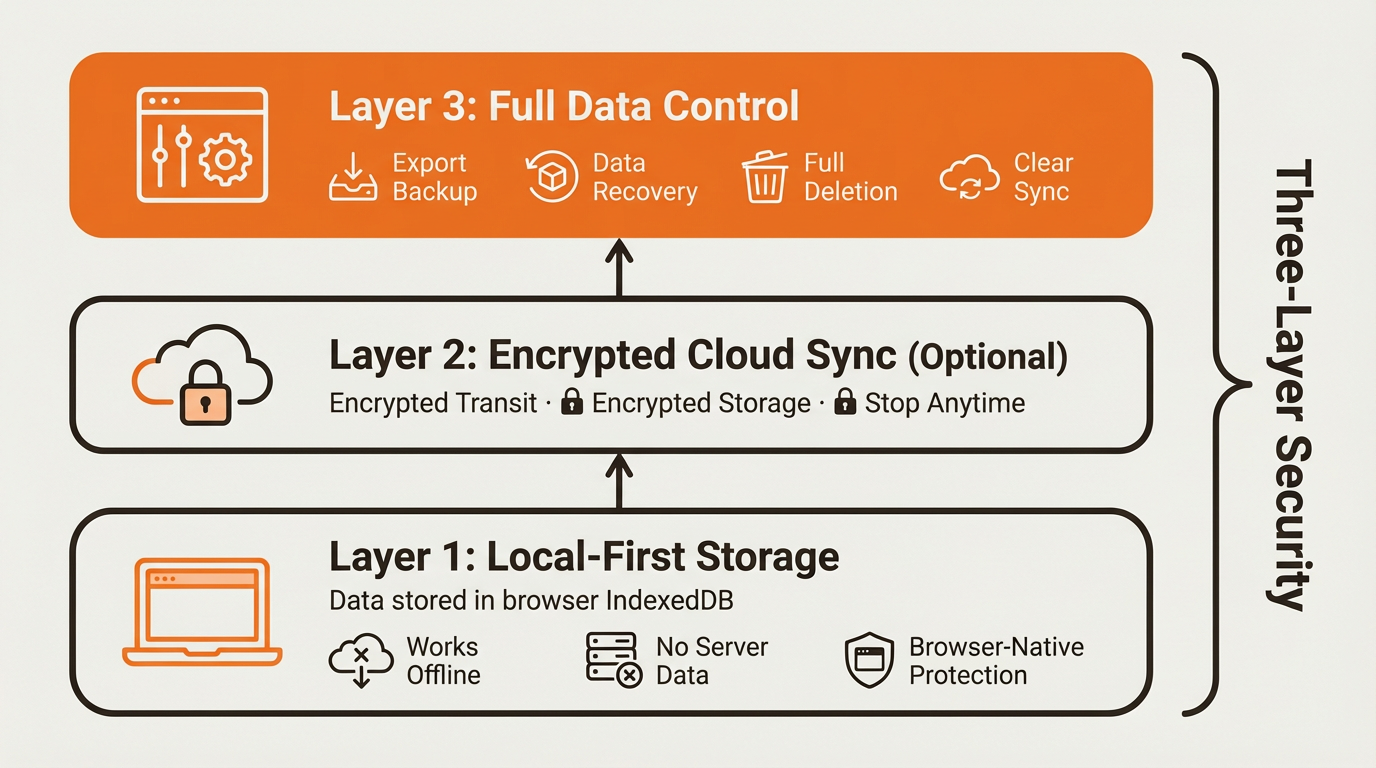
1. Local-First Storage
- Data is saved in the browser's IndexedDB, natively protected by browser vendors (Chrome, Safari, Firefox), with the same security level as browser password managers, bookmarks, and other data.
What does this mean?
- Dessix servers don't have your note data.
- The Dessix team cannot access your content.
- Can still be used normally in offline mode.
- Except for LLM service providers, data is not obtained by third parties.
2. Encrypted Cloud Sync (Optional)
Subscribers can enable cloud sync for cross-device usage:
- Transmission uses encryption protocols.
- Servers only store encrypted data packages.
- The Dessix team cannot decrypt to view content.
- You can stop syncing and clear cloud data at any time.
Settings Path: Settings → Backup & Sync
3. Complete Data Control
- Export Backup - Export anytime to Word, PDF, Markdown, and other formats
- Data Recovery - Supports restoring historical versions
- Complete Deletion - Deletion operations leave no trace on the server
- Clear Sync - Can clear cloud sync data anytime
Data Sync Issue Handling
Why is data gone after switching browsers?
Because Dessix uses local-first storage with data saved locally in the browser, this results in:
- Different browsers have completely independent storage.
- Data in incognito mode is automatically cleared after closing.
- Clearing browser data will result in Dessix data loss.
Solutions:
Free Users:
- Stick to using one browser.
- Regularly export important data backups.
- Avoid operations in incognito mode.
Subscribers:
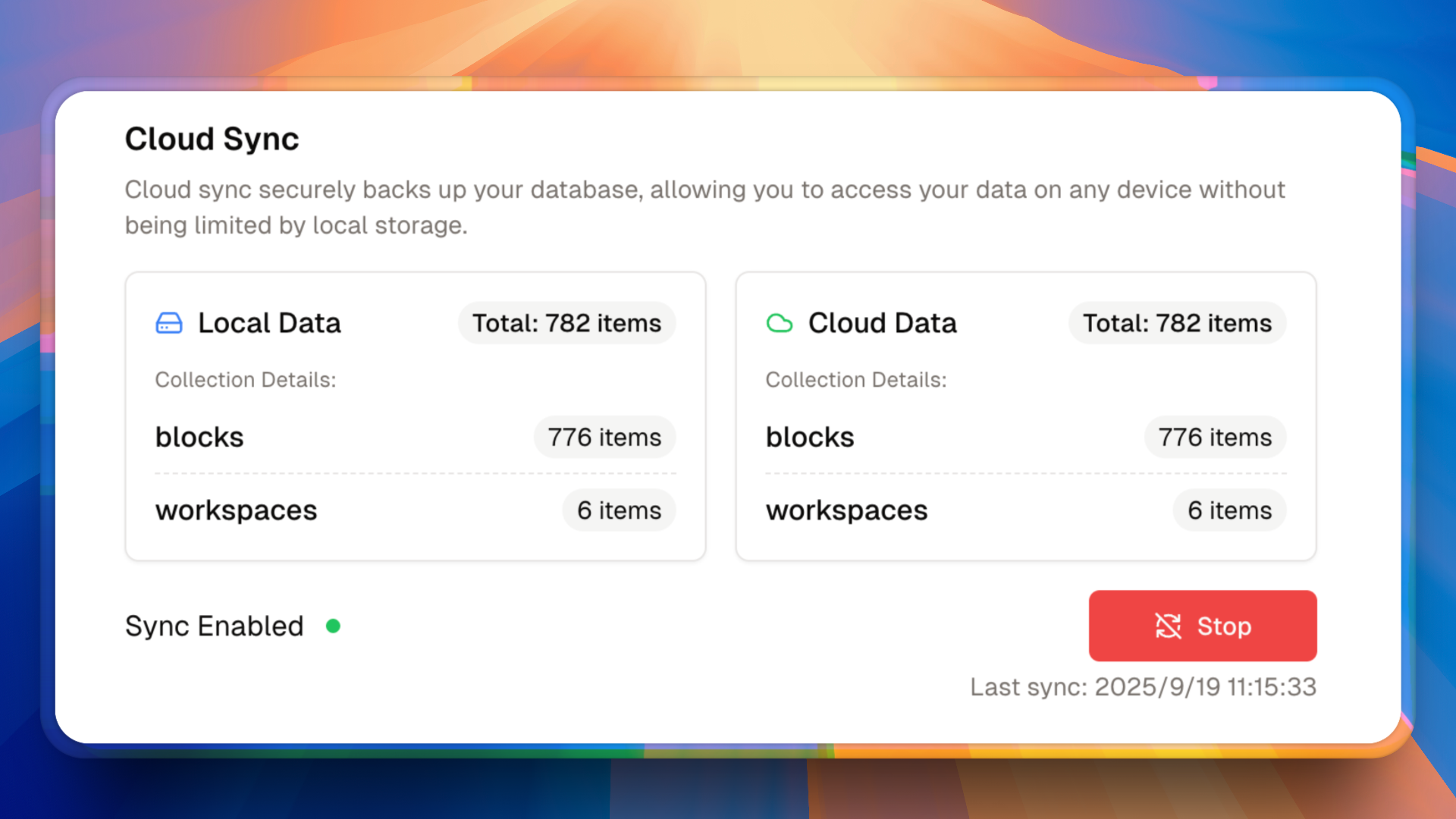
- Enable cloud sync.
- Automatically sync after logging in on new devices.
- Regularly check sync status.
Data Not Syncing Correctly?
Quick Fix:
- Click the
Stopbutton in the sync interface to pause syncing - Click the
Startbutton to restart - Wait for Sync State to show a green indicator (indicating successful sync)
Notes:
- Don't close the browser during syncing
- Ensure stable network connection
Why Choose Local-First Architecture?
Product Value:
- Highly Secure - Relies on browser native security mechanisms
- Fast Response - Local read/write with no latency
- Data Autonomy - Data control completely in your hands
- Fast Updates - No need to consider data migration, products can iterate quickly
Privacy Commitment:
- Does not collect personal sensitive information
- Does not transmit data without authorization
- Complies with modern privacy protection standards
- Data retention is up to you